
Table Of Contents
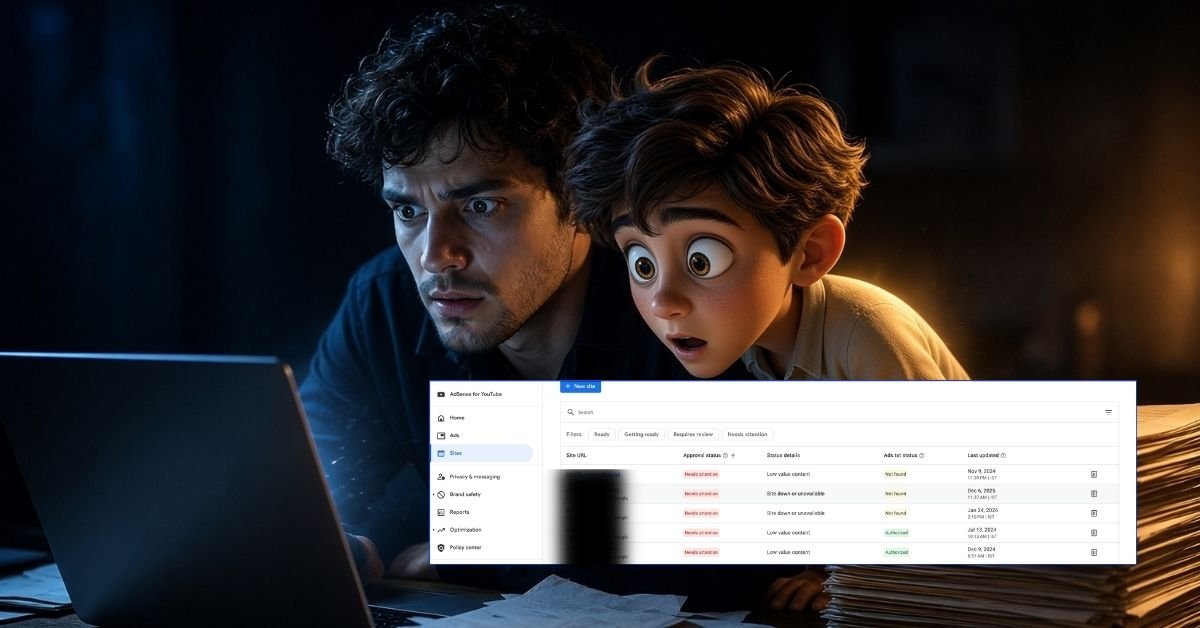
Quick Answer: A “Low value content” rejection means Google’s review found your site does not offer enough original, useful content to justify showing ads. To fix it, remove or merge thin pages, rewrite content to add original value, give your site one clear focus, add trust pages and author information, fix navigation issues, then confirm the fixes in AdSense and request a new review.
You built the site, published your articles, and applied for AdSense. The reply came back with two words that explain very little: “Low value content.”
Most site owners react by adding a few more posts and applying again. Most get the same result. The rejection is rarely about one page or a post count. It is about how the site looks to a reviewer who asks one question: Why would anyone visit this site instead of another?
This guide shows you how to diagnose the real problem on your site and fix it properly.
What The Rejection Really Means
In the AdSense Help Center, this rejection falls under content quality issues: the site lacks enough original, user-value content. Two details change how you should approach the fix.
The whole site is reviewed. Google may check every page, not only the one where you placed the ad code. Weak pages pull down strong ones.
Search quality standards apply. AdSense directs publishers to the Spam Policies for Google Web Search. Content that would be treated as low quality in Search is very unlikely to pass an AdSense review.
Diagnose Your Site First
Before changing anything, figure out the real problem. Match what you see on your site to the likely cause:
| What you see on your site | Likely cause |
|---|---|
| Many posts under 2–3 short paragraphs, or mostly images | Insufficient content |
| Articles that cover the same points as the top search results | Unoriginal or rewritten content |
| Dozens of posts published in a short time, little editing | Scaled or unedited AI content |
| Many unrelated topics with a few posts each | No clear site focus |
| Empty categories, tag pages, placeholder pages | Thin, auto-generated pages |
| Product posts built around affiliate links | Thin affiliate content |
| Pop-ups, broken links, redirects, unfinished menus | Navigation and experience issues |
| No About page, no author names, no contact details | Weak trust signals |
Most rejected sites have two or three of these at once. Fix all of them, not just the most obvious one.
How To Find Thin Pages Quickly
- Google Search: type site:yourdomain.com to see which pages Google has indexed. Look for tag pages, archives, and old posts you forgot existed.
- Google Search Console: open the Pages report to see every indexed URL, and check which pages have almost no clicks or impressions. These are usually your weakest content.
- Your own content list: sort posts by length and date. Short, rushed posts published in batches are the first to review.
The Fix: Seven Steps
1. Cut Before You Add
Delete pages that cannot be improved. Merge several short posts on the same subject into one complete guide, and redirect the old URLs to it. Remove empty categories, tag archives, and placeholder pages. A smaller site with strong pages makes a far better impression than a larger site with weak ones.
2. Rewrite For Original Value
Copying, spinning, or rewriting other sites’ content directly violates policy. Every article should contain something a reader cannot find on the pages already ranking for the same topic:
- Your own experience, tests, or results
- Original examples, data, or screenshots
- A clearer explanation or a better structure
- Honest opinions and lessons learned.
A useful test from Google’s own guidance: would someone bookmark this page or recommend it to a friend? If not, it needs more work.
3. Give the site one clear focus
Google asks whether a site has a primary purpose. Pick one core subject, reduce your categories to a handful, and make sure each category holds several complete articles. A focused site reads as an authority; a scattered one reads as a traffic grab.
4. Use AI as A Tool, Not A Writer
Google targets content generated at scale with little user value, regardless of the tool that produced it. AI is not banned, but unedited AI text is exactly what reviewers flag as low effort. If you use AI, check every fact, rewrite in your own voice, and add expertise it cannot provide.
5. Build Trust Into Every Page
Add the pages any serious publication has:
- About: who runs the site and why it exists
- Contact: a working way to reach you
- Privacy Policy: disclosing how ads and cookies collect data, which AdSense requires
- Author bylines: real names, linked to author information
Never invent authors. Google treats fabricated profiles, such as made-up names or AI-generated headshots, as deception.
6. Fix Navigation And Experience
Make your menu clear and every link work. Remove intrusive pop-ups, fix redirects and broken links, and check the site on a phone. A reviewer should be able to move through the site without friction.
7. Launch Fully Before Applying
Apply only when the site is complete and live. The ad code must sit on a real, published page; test pages with only the code will not be approved.
How To Request A New Review
- Make sure your updated pages are live and request indexing for key pages in Google Search Console.
- Allow time for Google to crawl the changes.
- Sign in to AdSense, confirm you have fixed the issues, and request a review.
Google sets no fixed waiting period. Reapplying without real, site-wide changes will result in another rejection.
Three Myths Worth Ignoring
“You need 800 or 1,000 words per post.” Google has no preferred word count and lists writing to a word count as a warning sign. Cover the topic fully; let length follow.
“You need a set number of posts.” There is no official minimum. A reviewer judges whether the site offers a meaningful experience overall.
“Trust pages will get you approved.” About, Contact, and Privacy pages are necessary, but they cannot compensate for weak content.
Checklist Before You Reapply
- Thin, empty, and duplicate pages removed or merged
- Every article offers something original
- No copied, spun, or unedited AI content
- One clear focus, with a few complete categories
- About, Contact, and Privacy Policy pages live
- Real author bylines on articles
- Clean navigation, no broken links or intrusive pop-ups
- Site complete, live, and mobile-friendly
- Updated pages crawled via Search Console
Frequently Asked Questions
Can AI-assisted content get approved?
Yes, if it is edited, fact-checked, and enriched with real expertise. Google’s policies target mass-produced, unedited AI content.
How long should I wait before reapplying?
There is no official waiting period. Reapply once you have made the improvements and Google has crawled them.
Is “Low value content” the same as a policy violation?
No. Policy violations involve prohibited content, such as copyrighted or restricted material. Low-value content is about quality and originality and can be fixed by improving the site.
The Bottom Line
“Low value content” is not a technical error, and it is rarely fixed by publishing more. It is fixed by publishing better: original, focused, trustworthy content built for readers. Improve the site as a whole, and approval will follow.
References
- Your AdSense account wasn’t approved – Google AdSense Help
- Make sure your site’s pages are ready for AdSense – Google AdSense Help
- Spam policies for Google web search – Google Search Central
- Creating helpful, reliable, people-first content – Google Search Central
About Author
